

# Jotform Form Notifications: Real-Time Alerts for Every Submission

# Form Notifications

## WhatsApp, SMS and Mobile Notifications for Your Forms

Jotform Form Notifications instantly alert you the moment a response comes in through channels like **WhatsApp, Text Messages / SMS, Push Notifications, Emails,** and more, so you can act fast and deliver quick responses every time.

[Enable Notifications](https://secure.jotform.com/workspace/new?assetCreationType=form&fromNotificationLanding=1)

*   ![Image 1: Notification from Jotform App](https://cdn.jotfor.ms/image/r/aHR0cHM6Ly9jZG4uam90Zm9yLm1zL3AvZm9ybS1ub3RpZmljYXRpb25zL2Fzc2V0cy9pbWctbWluL25vdGlmaWNhdGlvbi13aGF0c2FwcC5wbmc=/notification-whatsapp.png?w=424&t=1)
*   ![Image 2: WhatsApp notification from Jotform](https://cdn.jotfor.ms/image/r/aHR0cHM6Ly9jZG4uam90Zm9yLm1zL3AvZm9ybS1ub3RpZmljYXRpb25zL2Fzc2V0cy9pbWctbWluL25vdGlmaWNhdGlvbi1zbXMucG5n/notification-sms.png?w=424&t=1)
*   ![Image 3: SMS notification from Jotform](https://cdn.jotfor.ms/image/r/aHR0cHM6Ly9jZG4uam90Zm9yLm1zL3AvZm9ybS1ub3RpZmljYXRpb25zL2Fzc2V0cy9pbWctbWluL25vdGlmaWNhdGlvbi5wbmc=/notification.png?w=424&t=1)

![Image 4: Smiling delivery man holding a cardboard package in one arm and a smartphone in the other.](https://cdn.jotfor.ms/image/r/aHR0cHM6Ly9jZG4uam90Zm9yLm1zL3AvZm9ybS1ub3RpZmljYXRpb25zL2Fzc2V0cy9pbWctbWluL21hbi5wbmc=/man.png?w=503&t=1)

## **Demo** a live notification

Curious how Jotform notifications work? Send yourself a demo notification through any channel and see exactly what your team or customers would receive.

### Text Message / SMS

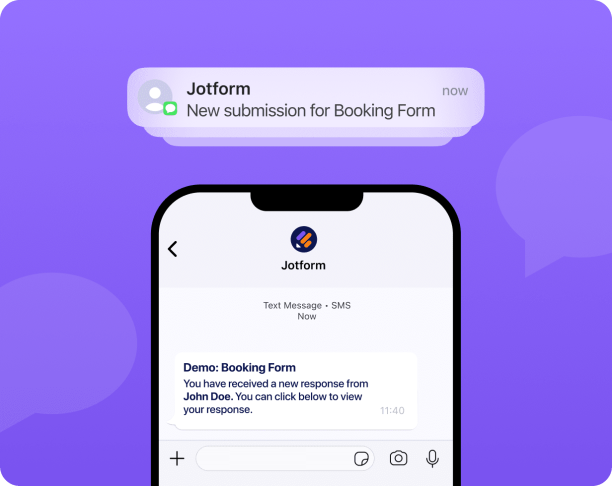
**Receive quick SMS alerts** so you can track submissions on the go, even when you’re away from your inbox.

![Image 5: Illustration of a smartphone showing a Jotform SMS alert with the message ‘New submission for Booking Form.’](https://cdn.jotfor.ms/image/r/aHR0cHM6Ly9jZG4uam90Zm9yLm1zL3AvZm9ybS1ub3RpZmljYXRpb25zL2Fzc2V0cy9pbWctbWluL2ZlYXR1cmVzL3RleHQtbWVzc2FnZS5wbmc/dj0x/text-message.png?w=612&t=1)Demo Text Message / SMS

### WhatsApp

**Receive instant WhatsApp notifications** so you can reply, follow up, or take action the moment someone submits your form.
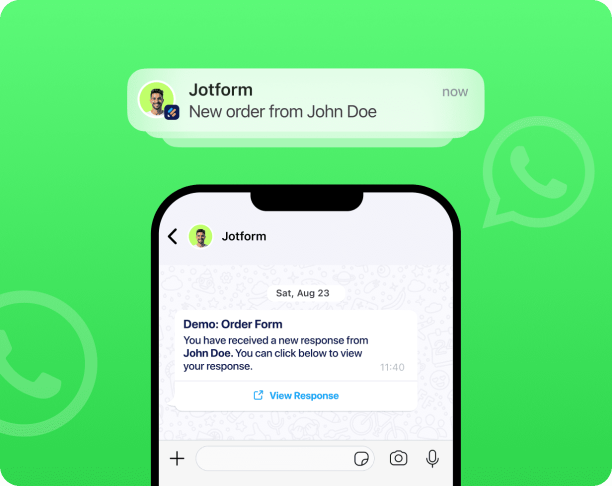
![Image 6: Smartphone screen showing a WhatsApp message from Jotform notifying a new order from John Doe with an amount of $114.](https://cdn.jotfor.ms/image/r/aHR0cHM6Ly9jZG4uam90Zm9yLm1zL3AvZm9ybS1ub3RpZmljYXRpb25zL2Fzc2V0cy9pbWctbWluL2ZlYXR1cmVzL3doYXRzYXBwLnBuZz92PTE=/whatsapp.png?w=612&t=1)Demo WhatsApp

### Email

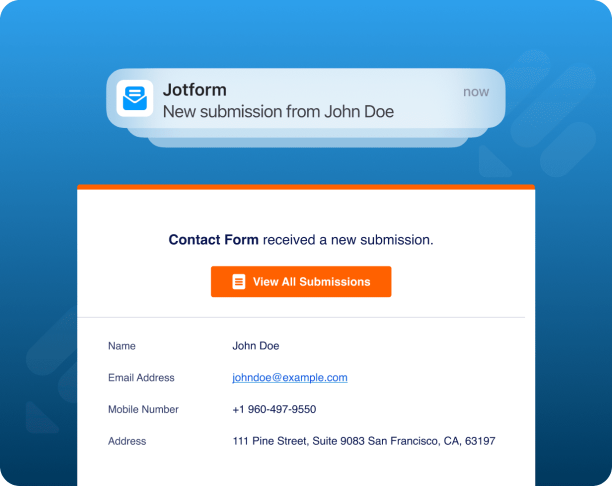
**Get an email notification** every time a form is submitted, keeping you instantly updated.

![Image 7: Email notification from Jotform showing a new contact form submission from John Doe with contact details and a ‘View All Submissions’ button.](https://cdn.jotfor.ms/image/r/aHR0cHM6Ly9jZG4uam90Zm9yLm1zL3AvZm9ybS1ub3RpZmljYXRpb25zL2Fzc2V0cy9pbWctbWluL2ZlYXR1cmVzL2VtYWlsXy5wbmc=/email_.png?w=612&t=1)[Enable Email Notifications](https://secure.jotform.com/workspace/new?assetCreationType=form&fromNotificationLanding=1&notification=email-notification)

### Push Notifications

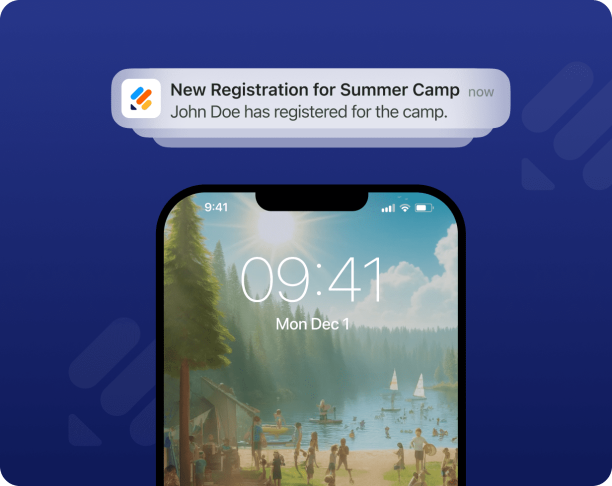
**Get notified instantly a form is submitted**, directly on your device’s screen, without constantly refreshing your inbox.

![Image 8: Smartphone lock screen showing a push notification that says ‘New Registration for Summer Camp — John Doe has registered for the camp.’](https://cdn.jotfor.ms/image/r/aHR0cHM6Ly9jZG4uam90Zm9yLm1zL3AvZm9ybS1ub3RpZmljYXRpb25zL2Fzc2V0cy9pbWctbWluL2ZlYXR1cmVzL3B1c2gtbm90aWZpY2F0aW9ucy5wbmc=/push-notifications.png?w=612&t=1)[Enable Push Notifications](https://secure.jotform.com/workspace/new?assetCreationType=form&fromNotificationLanding=1&notification=push_notification)

### Slack

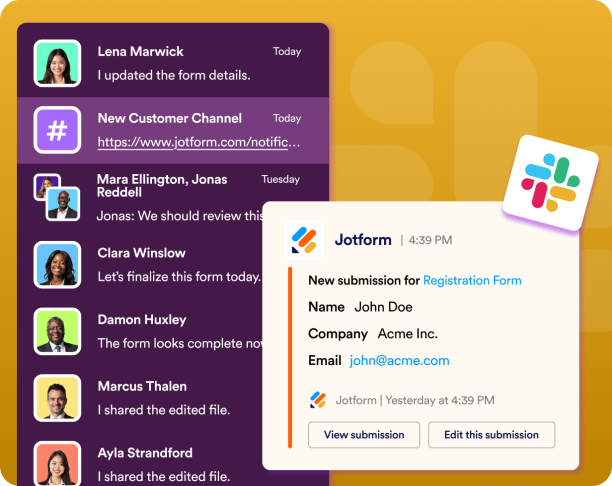
**Receive Slack alerts for every new submission** so your team stays aligned, responsive, and always up to date.

![Image 9: Slack workspace showing a Jotform message with a new submission notification for a registration form, including the sender’s name, company, and email.](https://cdn.jotfor.ms/image/r/aHR0cHM6Ly9jZG4uam90Zm9yLm1zL3AvZm9ybS1ub3RpZmljYXRpb25zL2Fzc2V0cy9pbWctbWluL2ZlYXR1cmVzL3NsYWNrLnBuZw==/slack.png?w=40&t=1)[Enable Slack Notifications](https://secure.jotform.com/workspace/new?assetCreationType=form&fromNotificationLanding=1&notification=slack)

### Microsoft Teams

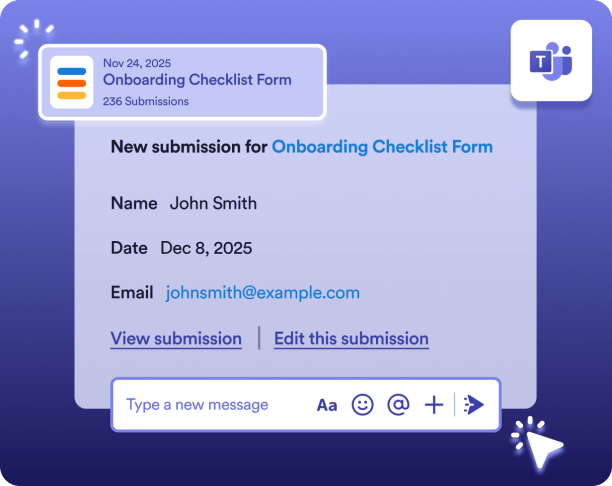
**Get immediate Teams alerts for new submissions**, keeping your workflow moving and your team informed without switching apps.

![Image 10: Microsoft Teams message showing a new submission for the Onboarding Checklist Form from John Smith with date and email details.](https://cdn.jotfor.ms/image/r/aHR0cHM6Ly9jZG4uam90Zm9yLm1zL3AvZm9ybS1ub3RpZmljYXRpb25zL2Fzc2V0cy9pbWctbWluL2ZlYXR1cmVzL21pY3Jvc29mdC10ZWFtc18ucG5n/microsoft-teams_.png?w=40&t=1)[Enable Microsoft Teams Notifications](https://secure.jotform.com/workspace/new?assetCreationType=form&fromNotificationLanding=1&notification=microsoft-teams)

### More ways to stay in sync

Choose from a variety of alert options that let you **deliver notifications through the platforms your team uses every day.**

![Image 11: A central user surrounded by various messaging app icons and user avatars.](https://cdn.jotfor.ms/image/r/aHR0cHM6Ly9jZG4uam90Zm9yLm1zL3AvZm9ybS1ub3RpZmljYXRpb25zL2Fzc2V0cy9pbWctbWluL2ZlYXR1cmVzL21vcmUtd2F5cy5wbmc=/more-ways.png?w=40&t=1)![Image 12: blank image](https://cdn.jotfor.ms/image/r/aHR0cHM6Ly9jZG4uam90Zm9yLm1zL3AvZm9ybS1ub3RpZmljYXRpb25zL2Fzc2V0cy9pbWctbWluL2ZlYXR1cmVzL2JsYW5rLnBuZw==/blank.png?w=40&t=1)

## Customize what you see in notifications

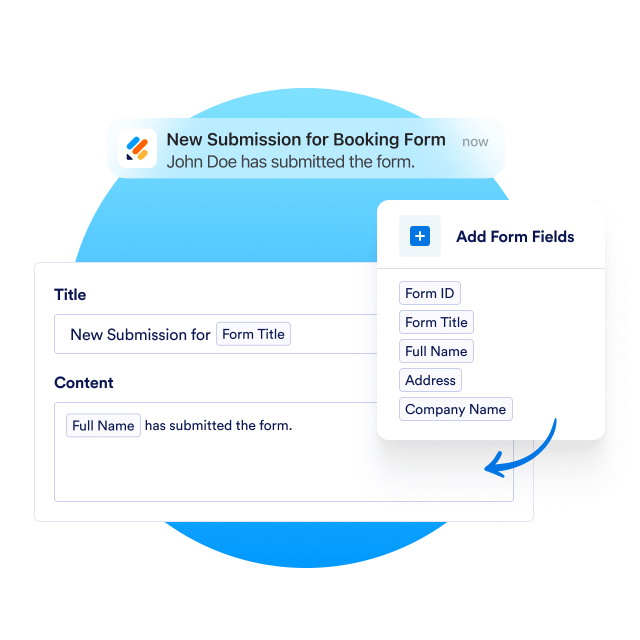
Make every notification work the way you need it to. With Jotform, you **choose which form details appear in your notifications,** from the submitter’s name and contact info to any specific fields that matter to your workflow. Highlight what matters and stay in full control of your notifications.

[Enable Notifications](https://secure.jotform.com/workspace/new?assetCreationType=form&fromNotificationLanding=1)

![Image 13: Form submission notification builder showing editable title, content fields, and selectable form field chips.](https://cdn.jotfor.ms/image/r/aHR0cHM6Ly9jZG4uam90Zm9yLm1zL3AvZm9ybS1ub3RpZmljYXRpb25zL2Fzc2V0cy9pbWctbWluL2N1c3RvbWl6ZS13aGF0LXlvdS1zZWUtaW4tbm90aWZpY2F0aW9ucy5wbmc=/customize-what-you-see-in-notifications.png?w=40&t=1)

## Keep your entire team instantly informed

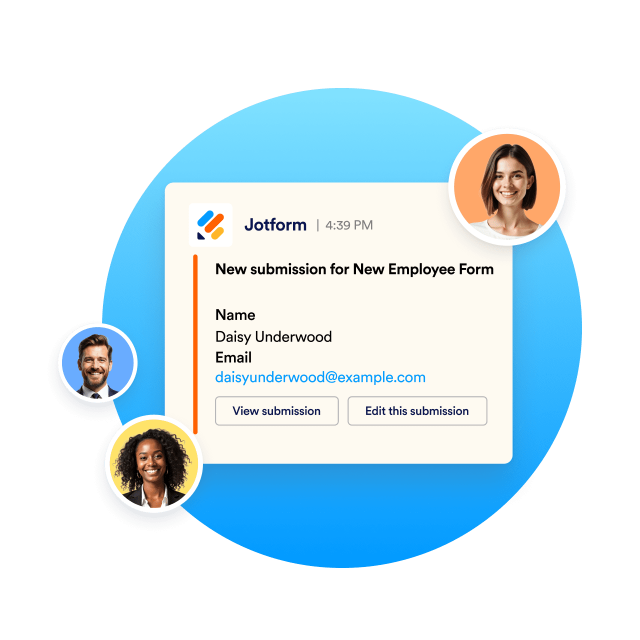
Enabling team notifications ensures your team is alerted the moment a form is submitted, so every request, from quotes to support needs gets quick attention. No missed steps and no delays. With real-time updates going to the right people, **your team stays responsive and ready to take action.**

[Enable Notifications](https://secure.jotform.com/workspace/new?assetCreationType=form&fromNotificationLanding=1)

![Image 14: Form submission preview showing employee details with action buttons.](https://cdn.jotfor.ms/image/r/aHR0cHM6Ly9jZG4uam90Zm9yLm1zL3AvZm9ybS1ub3RpZmljYXRpb25zL2Fzc2V0cy9pbWctbWluL2tlZXAteW91ci1lbnRpcmUtdGVhbS1pbnN0YW50bHktaW5mb3JtZWQucG5n/keep-your-entire-team-instantly-informed.png?w=40&t=1)

## One minute setup

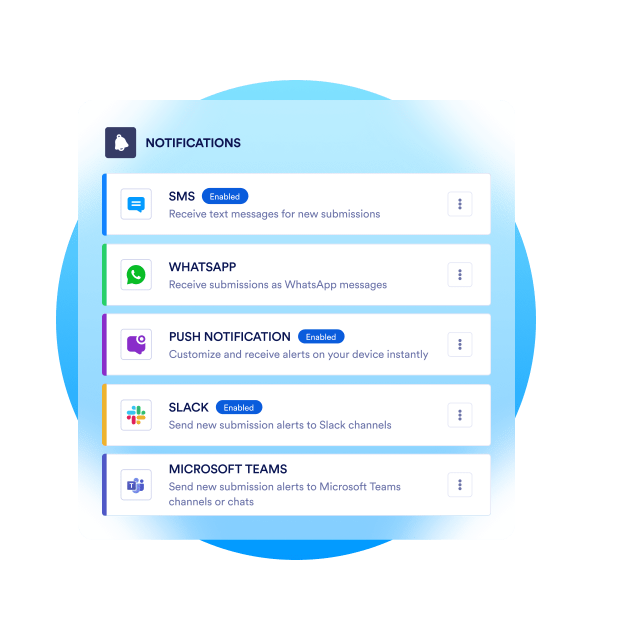
Getting started is easy. Simply choose your channels and customize your alerts directly from your form settings. You don’t need technical skills or complicated configuration. **WhatsApp, SMS, Slack, and Teams notifications can all be enabled with a single click.**

[Enable Notifications](https://secure.jotform.com/workspace/new?assetCreationType=form&fromNotificationLanding=1)

![Image 15: List of notification channel options including WhatsApp, push, SMS, Slack, and Microsoft Teams.](https://cdn.jotfor.ms/image/r/aHR0cHM6Ly9jZG4uam90Zm9yLm1zL3AvZm9ybS1ub3RpZmljYXRpb25zL2Fzc2V0cy9pbWctbWluL29uZS1taW51dGUtc2V0dXAucG5nP3Y9Mw==/one-minute-setup.png?w=40&t=1)

## Watch Form Notifications Video

Receive instant alerts through your preferred notification channels.
![Image 16: Announcing Jotform Notifications](https://cdn.jotfor.ms/image/r/aHR0cHM6Ly9jZG4uam90Zm9yLm1zL3AvZm9ybS1ub3RpZmljYXRpb25zL2Fzc2V0cy9pbWctbWluL3l0LXRodW1ibmFpbC5qcGc=/yt-thumbnail.jpg?w=40&t=1)

[Enable Notifications](https://secure.jotform.com/workspace/new?assetCreationType=form&fromNotificationLanding=1)

## FAQ

*    
### What are Jotform Form Notifications? Jotform Form Notifications are real-time alerts sent immediately after someone submits your form. You can receive these notifications through channels like WhatsApp, SMS/Text Message, Push Notifications, Slack, Microsoft Teams and more.   
*    
### Can I control what information appears in my notifications? Absolutely. You choose exactly which form fields appear in your alerts from the submitter’s name and contact details to any custom fields that matter to your workflow. You stay fully in control of what you see.   
*   
 
### What is the full list of all notification channels I can enable? 

You can activate any of these notification options:

    *   WhatsApp
    *   Push Notifications
    *   SMS / Text Message
    *   Slack
    *   Microsoft Teams
    *   Google Chat
    *   RingCentral
    *   SimpleTexting
    *   Twilio
    *   ClickSend

*    
### Do I need technical skills to set up advanced notifications? No technical skills are required. Just pick your preferred channels and customize your alerts directly from your form settings. Setup takes only a few clicks.   
*    
### How fast will I receive notifications? Notifications are delivered instantly the moment a submission comes in. This ensures you always stay informed and can respond quickly.   
*    
### What are the main benefits of using form notifications? Form notifications keep you updated in real time without checking your inbox or dashboard. You stay organized naturally, respond faster to leads or requests, avoid missed submissions, and improve communication across your team.   
*    
### Can I receive notifications through multiple channels at the same time? Yes. You can receive notifications through multiple channels. Each time a form is submitted, you can get alerted instantly across several platforms so nothing gets missed.   
*    
### How do notifications improve team communication? By sending alerts to shared channels like Slack, Teams, or WhatsApp groups, your entire team can stay updated at the same time. This ensures everyone stays aligned, can act quickly, and keeps workflows moving smoothly.   

View More